Undock Engine: Giving Gmail’s Reading Pane a Second Screen
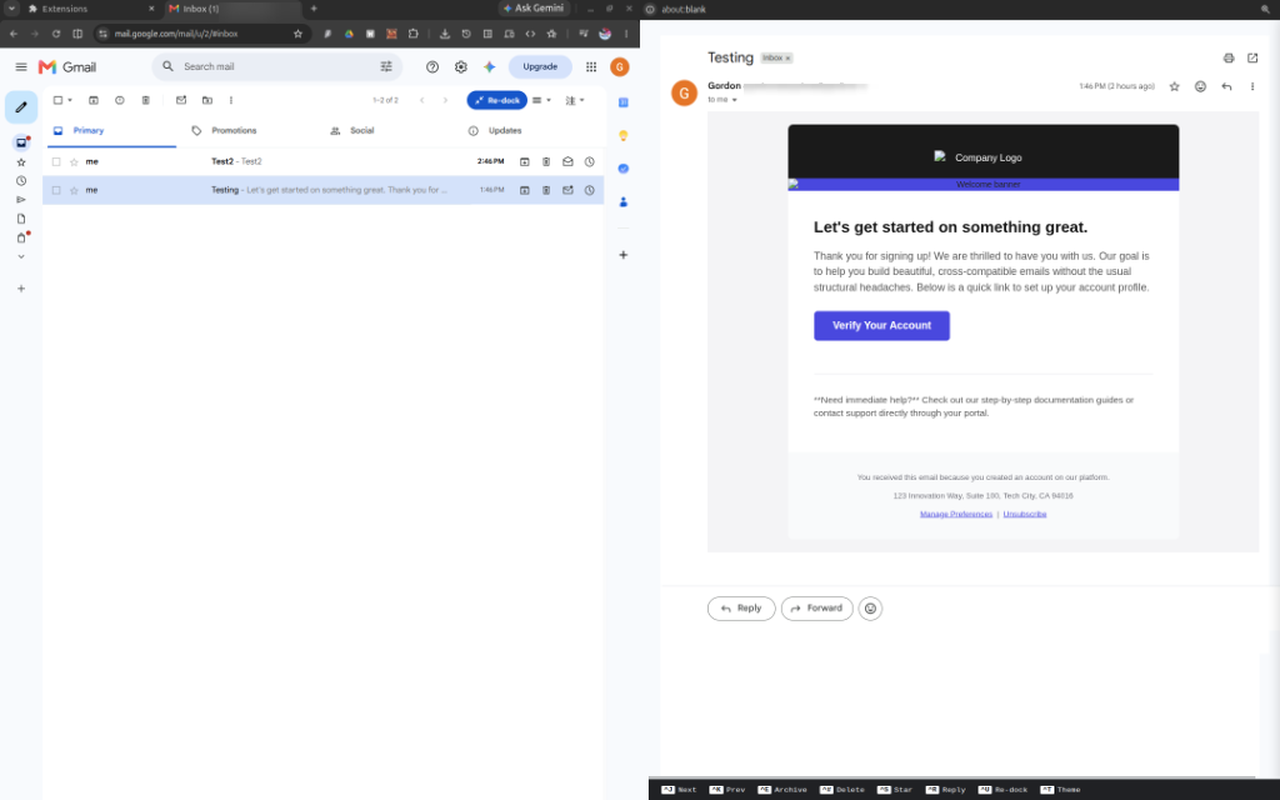
Working with Gmail across multiple monitors has always felt slightly awkward. The inbox list and the selected message are forced to share one browser window, even when there is another screen available. I built Undock Engine to solve that problem: it moves Gmail’s Reading Pane into a separate window while keeping the inbox available at full width.
The problem
Gmail’s split Reading Pane is useful, but it divides the same screen between the message list and the email body. On a multi-monitor workstation, this means valuable screen space is left unused. I wanted the inbox on one display and the selected conversation on another, without opening a second Gmail tab and losing synchronization.
What Undock Engine does
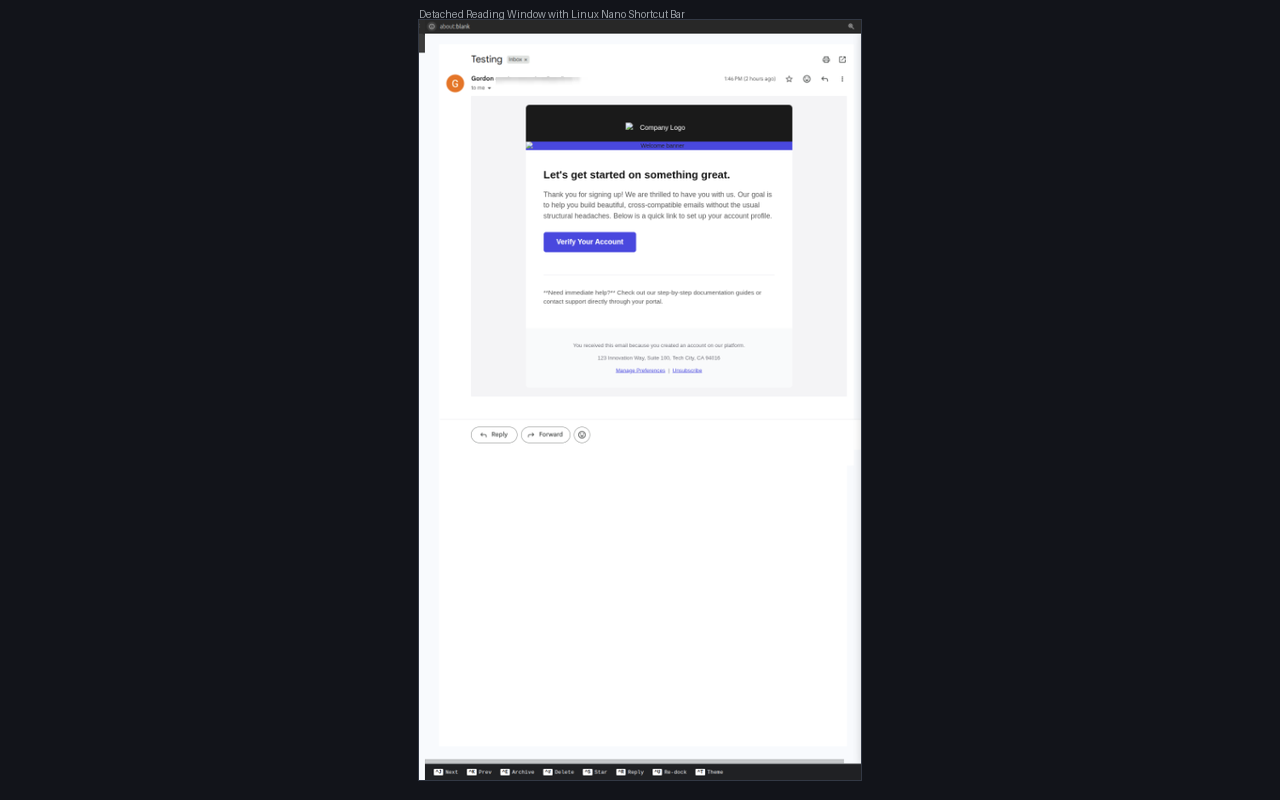
When Gmail’s vertical or horizontal split mode is enabled, the extension adds an Undock button to the Gmail toolbar. Clicking it:
- Opens a lightweight secondary browser window.
- Hides the embedded Reading Pane without deleting Gmail’s original DOM.
- Mirrors the selected conversation into the secondary window.
- Watches Gmail for selection and content changes.
- Routes supported clicks and keyboard actions back to Gmail.
- Restores the normal layout when the user clicks Re-dock or closes the window.
The original Gmail page remains the source of truth. The detached window is a synchronized view, which makes the feature safer than trying to recreate Gmail’s state independently.
Building around Gmail’s changing interface
Gmail is a dynamic application, so the project is organized around a few focused components instead of one large content script:
UndockEnginecoordinates the undock and re-dock lifecycle.GmailAdapterkeeps Gmail-specific selectors and behavior in one place.WindowManagercreates and restores the secondary window.SyncObservermirrors the Reading Pane and proxies supported interactions.KeyboardBrokerhandles shortcuts while avoiding search boxes, compose fields, and other editable controls.StyleClonercopies the relevant Gmail styles into the detached window.
This separation makes it easier to update one Gmail integration point when the interface changes, while keeping the window lifecycle and synchronization logic testable.
Privacy by design
Undock Engine runs locally in the browser. It does not use a server, analytics, or an external API, and it does not transmit email contents or browsing activity. Gmail remains responsible for the real message state; the extension only displays and routes interactions within the current browser session.
The full policy is available in the Undock Engine privacy policy.
Testing and packaging
The project is written in TypeScript and packaged as a Manifest V3 Chrome extension. The development workflow includes type checking, automated tests for the engine and window manager, a production build, and a repeatable ZIP packaging step for the Chrome Web Store.
The source code and technical notes are available in the Undock Engine GitHub repository.
Try it on the Chrome Web Store
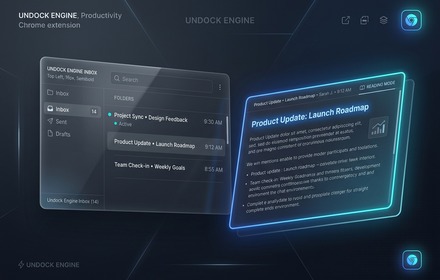
Undock Engine is now available as a public Chrome extension. To try it:
- Install Undock Engine from the Chrome Web Store.
- Open Gmail and enable Settings → See all settings → Inbox → Reading pane.
- Choose a vertical or horizontal split.
- Click Undock in the Gmail toolbar and move the new window to another monitor.
For bug reports, feature requests, or questions, use the GitHub issue tracker.
What comes next
The first release focuses on a reliable Gmail workflow. Future improvements can build on the same engine: broader Gmail interaction coverage, better recovery when Gmail reloads, and adapters for other web applications that have useful but constrained multi-pane interfaces.
Undock Engine started as a small quality-of-life idea, but it became a practical exercise in DOM synchronization, browser-window management, and defensive extension design. If you spend your day in Gmail across multiple monitors, I hope it gives you a little more room to work.
Comments